
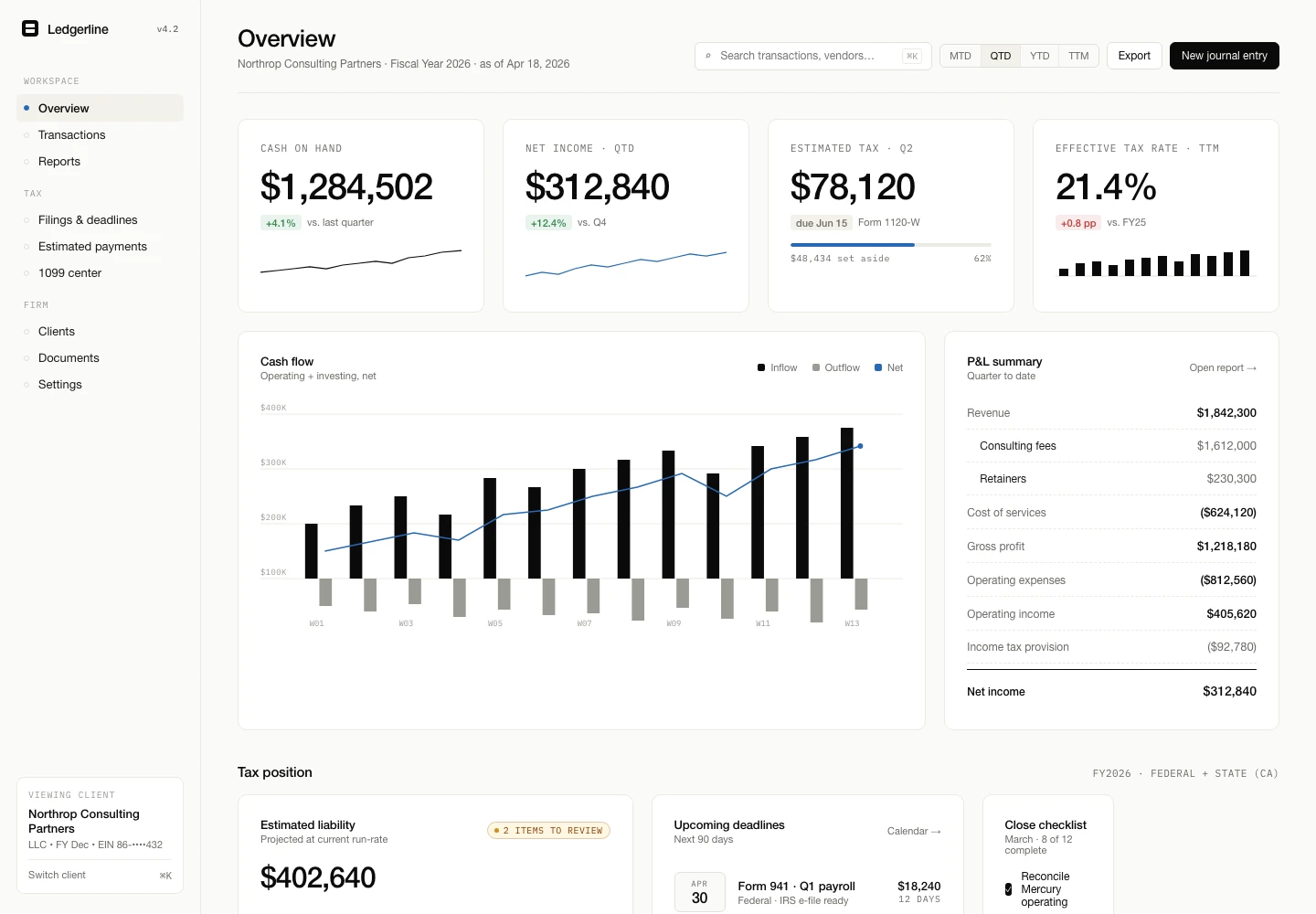
Review the tax position and upcoming deadlines.
ACCOUNTS & TAX / INTERFACE SHOWCASE
Ledgerline
Make financial review feel manageable.
An accounts and tax workspace that brings tax position, deadlines, bank activity, and reports into one calm view. Review exceptions, understand what is due, and move from transaction detail to a prepared filing package.
THE OPERATIONAL PROBLEM
The work behind
the screen.
Financial review involves several kinds of information: transaction activity, deadlines, exceptions and reporting. When each is viewed in isolation, it is difficult to see what needs review first.
The interface approach
The interface groups summary information and review tasks so a reader can move from a headline to the detail behind it.
FOLLOW THE WORKFLOW
A connected view
of the next action.
Inspect bank activity and identify exceptions.
Move from the overview into supporting reports and filing preparation.
WHAT THIS SHOWS
Interface detail.
Practical decisions.
This walkthrough describes the supplied interface and the workflow it represents. It does not report a client deployment or measured business results.
A similar project would begin by confirming your team’s process, data sources, permissions and operating requirements.
YOUR NEXT STEP
Bring the problem.
We’ll explore the path.
For founders, business owners and operations leaders considering a digital project.
A focused project conversation.
Share what you want to improve, how things work today and any constraints. A website link, workflow example or short feature list is useful; a finished brief is not required.
We’ll discuss fit, priorities and what we need to understand before proposing a scope.
Book a project call ↗Opens Cal.com. Prefer to write first? hello@frontbits.com