The Ops Dashboard Every SMB Founder Secretly Wants
Most SMB founders run their business on Sunday night.
That is when the laptop opens. The tabs go up. The spreadsheets get pulled. Numbers from one tool, numbers from another tool, numbers from a third tool that should have produced this report but does not, all stitched together into a Google Sheet that exists for one reason: to answer the question every founder asks themselves once a week. How is the business actually doing right now?
The reason this happens on a Sunday night is that no tool the founder pays for can answer the question on its own. The CRM shows pipeline but not delivery. The accounting tool shows revenue but not commitments. The project tool shows work in progress but not margin. The dashboards inside each tool measure their own product, not the business.
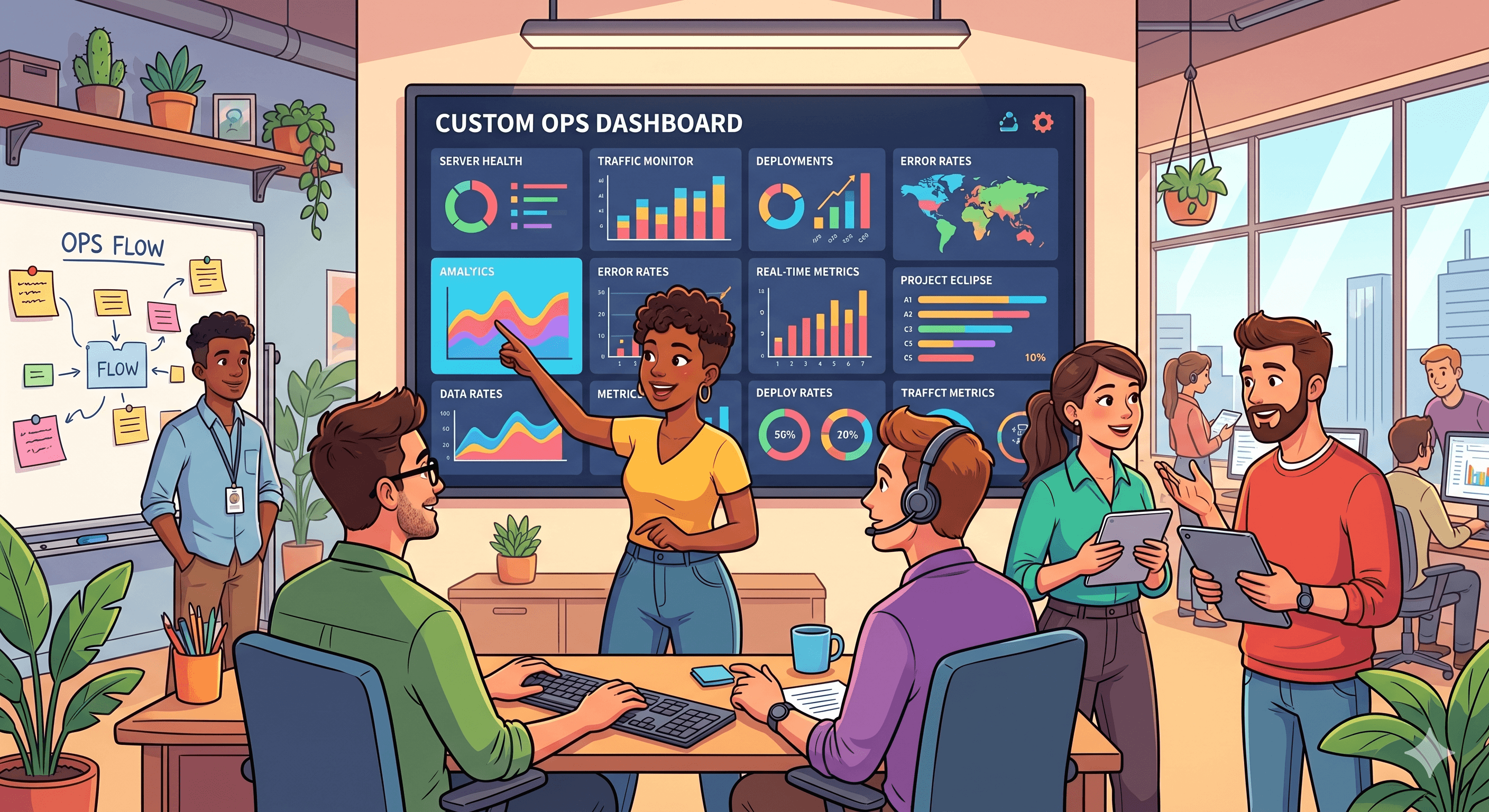
So the founder builds the report manually, and the report becomes a private artefact of how they really see the business. Quietly, in the back of their mind, they know what they actually want. A single screen that shows the six or seven numbers that matter, updated automatically, with no Sunday work involved.
That is the dashboard most SMB founders secretly want. Almost none of them have it. This post is about why it is so hard to buy off the shelf, what it actually looks like when it is right, and what it takes to build it properly.
Why off the shelf dashboards do not solve this
You can buy dashboards. There are dozens of business intelligence tools that promise to give you the numbers that matter. Most SMB founders try one or two before giving up.
The reason these tools fail is not capability. It is alignment.
Off the shelf BI tools are built for a generic business. They show you what an average founder might want to see. The dashboard you actually want is not generic. It reflects how your specific business makes money, what your specific risks are, and which numbers actually predict whether next quarter is going to be good or bad.
The standard BI dashboard shows revenue, pipeline, and a chart of activity over time. The dashboard you actually want shows the three numbers that matter most to your business, the early warning signal you have learned to watch, the thing your team is supposed to be doing that they sometimes are not, and the metric you check first when something feels off.
These are not features in a BI tool. They are decisions about your business. And they are different for every business, which is why a generic tool can never quite get there.
The other reason off the shelf fails: most BI tools require your data to live in clean, connected systems. SMB data does not live there. It lives in five tools that do not talk to each other, three spreadsheets, two Slack channels, and one email thread. The BI tool assumes a level of data hygiene most SMBs have never had.
What the dashboard actually shows
Here is what we have learned about ops dashboards that founders actually use, after building them for SMBs across several industries.
The dashboard has three layers. Each layer answers a different question and demands a different design.
Layer one: the heartbeat. The five to seven numbers that tell the founder, at a glance, whether the business is healthy right now. These are the numbers the founder would check before walking into a board meeting, an investor call, or a Monday morning review. Cash on hand. Active customers. Pipeline value. Open invoices over 30 days. Team utilisation, if relevant. Whatever the equivalents are for this specific business.
The heartbeat layer is the most important one and the hardest to design. It is hard because it requires the founder to commit to a small set of numbers and let the rest fall away. Most founders, given a blank dashboard, will list 25 things they want to see. The work is in cutting that to seven, because seven is the number a human can actually scan in five seconds and feel they understood.
Layer two: the leading indicators. The numbers that predict where the heartbeat is going. New leads this week. Response time to inquiries. Project milestones at risk. Churn signals from customer activity. These are the numbers that move first, before the heartbeat numbers move, which means watching them gives the founder a chance to act before the situation becomes a problem.
Most SMB dashboards skip this layer entirely, which is why founders end up reacting to bad numbers instead of preventing them.
Layer three: the deep dives. The detail behind the headline numbers, accessible only when needed. Click into "active customers" and see the full list with health status. Click into "pipeline value" and see deals by stage. Click into "open invoices" and see the actual invoices with ageing.
This layer is where most off the shelf dashboards live, and it is the least useful one as the entry point. Founders do not start their day in the deep dive. They start at the heartbeat, glance at the indicators, and only go deeper when something there demands attention.
A good ops dashboard nests these three layers correctly. The first thing the founder sees is the heartbeat. The second is the indicators. The deep dives are one click away, not on the front page.
The numbers that change everything when they are visible
Most founders are surprised by which numbers, once made visible, actually change how they run the business. The ones we see making the biggest difference are usually not the ones founders ask for first.
Time from inquiry to first response. Almost no one tracks this. Almost everyone underperforms on it. Once it is visible, it improves quickly because the team can see when they are slipping. The downstream effect on win rates is large.
Cash conversion cycle. How long between work being done and cash being received. Most SMB founders feel this number in their gut but do not track it. Putting it on the dashboard reveals patterns (specific clients who pay slowly, specific service lines that take longer to cash) that lead to immediate operational changes.
Customer health, not just customer count. A list of active customers is less useful than a list of active customers colour coded by health, with the unhealthy ones surfaced first. Two customers about to churn is more important to know than the absolute count.
Project margin in real time. Most SMBs calculate margin on a project after it ships. By then it is too late. A dashboard that shows project margin trending in real time, against the original budget, lets the founder intervene while a project is still recoverable.
Capacity and utilisation across the team. Without this number, every hiring decision is based on feel. With it, the founder can see exactly when the team is overloaded, which roles are bottlenecks, and when an additional hire actually pays off.
Pipeline movement, not just pipeline value. A pipeline of 500,000 dollars that has not moved in six weeks is worse than a pipeline of 200,000 dollars that is progressing. The movement is the signal. Most CRMs report the value but not the movement.
These are the numbers that, once on a dashboard, quietly change how a business gets run. They do not look glamorous individually. Together they are the difference between flying blind and flying with instruments.
The data problem (and why it is solvable)
The biggest objection founders raise to building a custom dashboard is data. "Our data is everywhere. It would be impossible to get this onto one screen."
This used to be true. It is not anymore.
Modern data plumbing is dramatically cheaper and faster than it was even three years ago. Tools like Supabase as a backend, lightweight syncing layers, and direct API connections to the major SaaS tools mean that pulling data from five sources into one dashboard is now a matter of weeks, not quarters.
The work breaks down roughly like this. Identify the sources where the relevant data actually lives. Build connections that pull the data on a regular schedule. Normalise it into a consistent structure. Push it into a clean dashboard layer designed around the specific decisions the founder is trying to make.
For most SMBs, the data the dashboard needs lives in three to six places. CRM, accounting tool, project tool, possibly a payments platform, possibly a custom spreadsheet that holds something the tools do not. Connecting these to feed a single dashboard is straightforward modern engineering. It is not the project most founders imagine, which is "rebuild the entire data infrastructure of the company." It is the project of getting the seven numbers that matter onto one screen.
The objection that data is too messy is sometimes true at scale. For an SMB with reasonable systems, it is almost always solvable in a sensible build window.
Why the dashboard you build will outperform the dashboard you buy
For the same investment, a custom ops dashboard outperforms a BI tool subscription on three dimensions that matter.
It shows what you actually need to see. Not the closest approximation a BI tool's templates can produce, but the specific numbers, in the specific layout, that match how you think about the business.
It uses your language. Your CRM calls them "deals." Your team calls them "projects." Your accounting tool calls them "invoices." A custom dashboard uses the words your team actually uses, which removes the cognitive overhead of translating between tools.
It evolves with the business. As the business changes, the dashboard changes. Adding a new metric is a small, scoped piece of work, not a battle with a BI vendor's roadmap. A custom dashboard can be made to track the things that matter now, then re-tuned in a quarter when the things that matter have shifted.
The cost comparison is the part founders usually get wrong. A BI tool with the integrations needed to pull from five SaaS sources, plus the time invested in setting up reports, often costs more over three years than a one-time custom build. Even when the BI subscription looks cheaper monthly, the total cost of ownership across a few years lands in similar territory, with the custom build owning the asset at the end.
The build cost for a focused SMB ops dashboard usually lands between 10,000 and 25,000 dollars, depending on the complexity of the integrations and the volume of data. The timeline is typically 4 to 8 weeks. The savings come not just from better decisions but from getting the founder's Sunday nights back.
What founders gain when they actually have it
The behavioural shift after a founder gets a working ops dashboard is more interesting than the dashboard itself.
The Sunday night ritual disappears, which is a real quality of life improvement. The Monday morning team meeting becomes shorter and more focused, because everyone is looking at the same numbers in the same place. Decisions that used to require ad hoc analysis (should we hire, should we raise prices, should we drop this service line) get answered faster, because the data to answer them is already organised.
More subtly, the founder starts to trust the numbers more. The manual spreadsheet was always slightly suspect, because it was assembled by hand, late at night, with the inconsistency of a tired person reconciling tools. The automated dashboard is consistent. The numbers can be trusted, which means decisions made from them feel more solid.
This is the part most founders do not anticipate. They expect the dashboard to give them better information. They are surprised by how much it changes their relationship with the business.
When a custom dashboard is not the right move
This is not a universal answer. There are times when building a custom ops dashboard is the wrong investment.
You are under 10 people. At that size, the founder usually has direct visibility into everything that matters. The dashboard is a future investment, not a current one.
Your business model is still settling. If your core operations are changing every month, a dashboard built around the current shape will be obsolete by the time it ships. Wait until the operations are stable enough to be measured.
The data sources are genuinely chaotic. If your business runs on undocumented spreadsheets, ad hoc decisions, and verbal updates, the prerequisite work is data hygiene, not dashboard building. A dashboard cannot show what was never recorded.
You have not yet decided what you actually want to see. The single most common reason custom dashboard projects fail is that the founder has not committed to the numbers. They want everything, then change their mind, then add new metrics during the build. The project becomes unscoped and the dashboard becomes a mess. A successful build requires a founder who can commit to the seven heartbeat numbers and stay disciplined about additions.
When these conditions are met, dashboards are excellent investments. When they are not, they tend to disappoint.
The short version
Most SMB founders quietly know what they want from their reporting and quietly accept that off the shelf tools cannot quite deliver it. The Sunday night spreadsheet is a workaround for a need the market has not solved well.
A custom ops dashboard, built around the specific numbers a specific business actually runs on, solves it. Not as a luxury but as a piece of infrastructure that makes every other operational decision easier. The build is more achievable than founders assume. The data is more accessible than they fear. The behavioural change after the dashboard ships is bigger than they expect.
If you are running a business on a Sunday night spreadsheet and starting to feel that the workaround has become permanent, the workaround is the signal. Time to build the thing you actually wanted in the first place.
At Frontbits we build custom ops dashboards for SMB founders on fixed scope, fixed pricing, in 4 to 8 weeks. If you have a Sunday night spreadsheet that has quietly become the source of truth for your business, the conversation usually starts there. Bring the spreadsheet, and we will help you figure out what the dashboard version of it should look like.