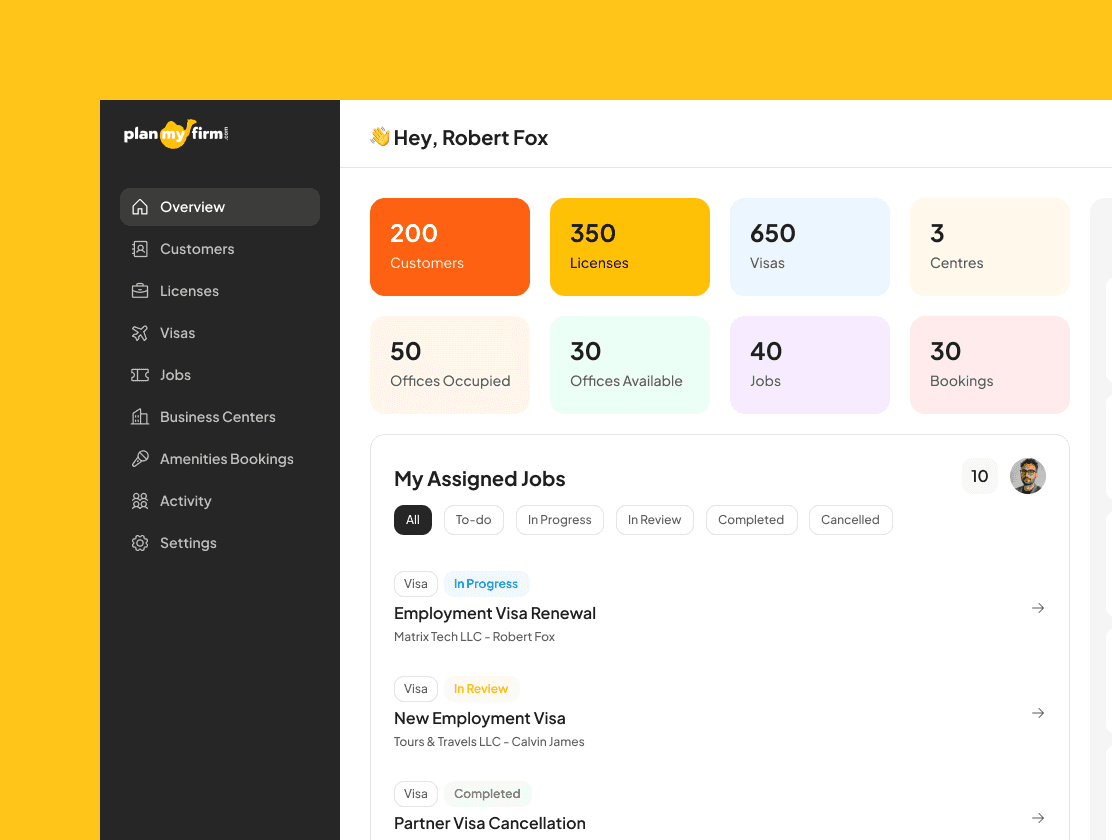
Case Study: Building a Scalable Admin Panel for Planmyfirm
Client Overview
Planmyfirm is a Dubai-based company helping entrepreneurs and businesses set up and operate smoothly in the UAE. Their services include:
Business licenses
Visas
Legal services
Co‑working and office spaces
As their customer base grew, so did the complexity of managing operations across multiple services, documents, and timelines.
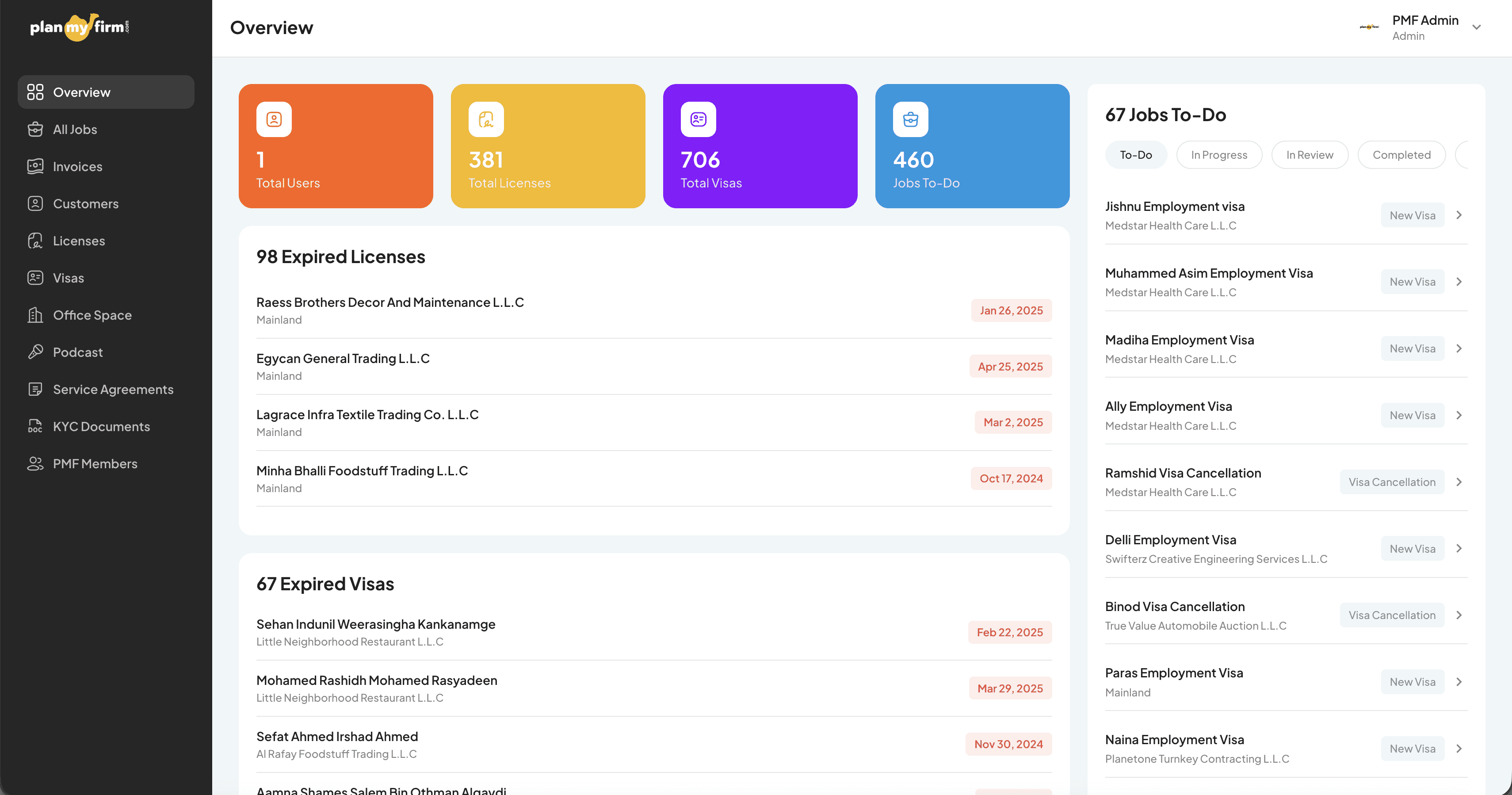
The Challenge
Planmyfirm’s operations team was handling:
Customers at different stages of licensing and visa processes
Multiple license types with renewal dates
Visa applications and status tracking
Office and co‑working space allocations
A large volume of legal and onboarding documents
These were spread across spreadsheets, emails, and tools that didn’t talk to each other. The result:
Manual follow‑ups and errors
No single source of truth
Slow onboarding for new team members
Limited visibility for managers
They needed a centralized admin panel that was easy for a junior operations team to use, while still powerful enough for senior oversight.
Our Approach
We approached the project with a UX‑first, no‑code mindset.
1. Deep Operational Understanding
Before designing anything, we worked closely with the Planmyfirm team to:
Map real operational workflows (not assumed ones)
Understand daily tasks vs edge cases
Identify decision points and dependencies
This helped us design for how work actually happens, not how it looks on paper.
UX Strategy & Practices
We applied key UX principles throughout the project:
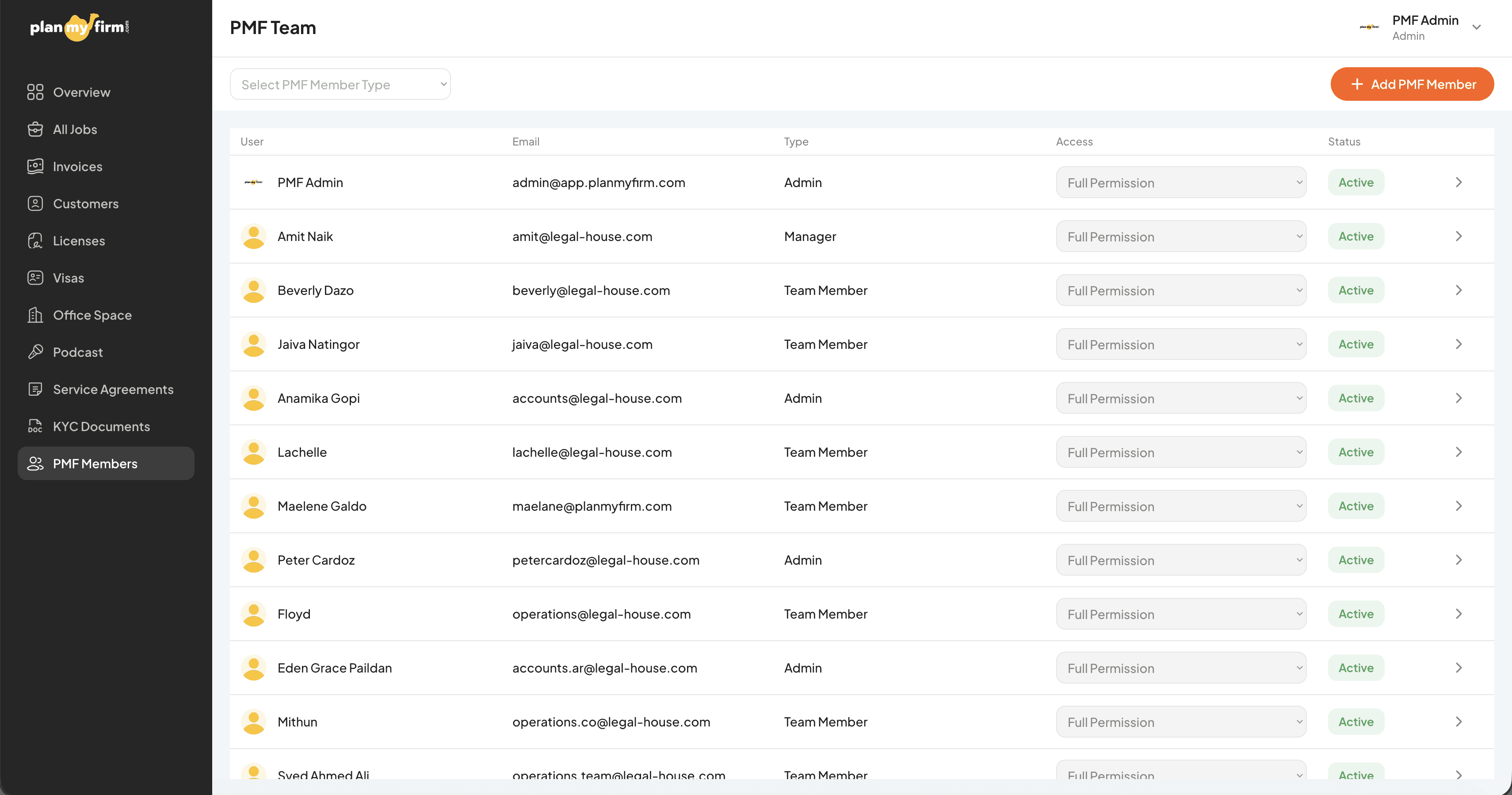
Role‑Based Thinking
Different users needed different levels of access:
Operations executives
Managers
Admins
The interface was designed so each role only sees what’s relevant to them, reducing cognitive load and mistakes.
Clear Mental Models
We structured the admin panel around how the team thinks:
Customers as the core entity
Services (licenses, visas, offices) as connected records
Documents attached contextually to each service
This eliminated the need to “remember where things are.”
Status‑Driven UX
Every major entity (license, visa, office) was designed with:
Clear status states
Visual indicators
Next‑action clarity
This made it obvious what needs attention, and what’s already done.
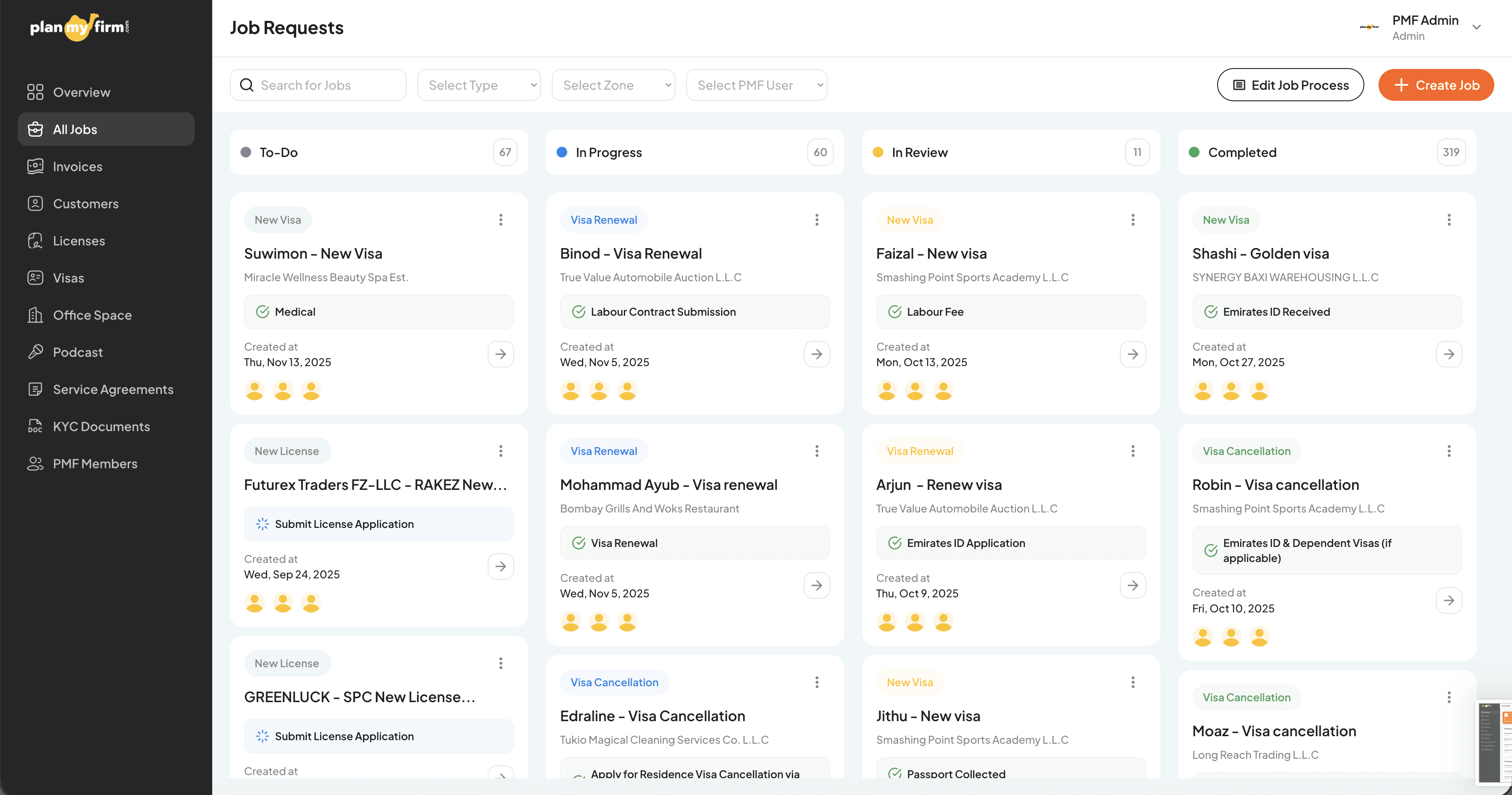
The Solution
We designed and built a custom internal admin panel using Bubble, tailored exactly to Planmyfirm’s operations.
Key Features
Centralized Customer Management
Unified customer profiles
Linked licenses, visas, offices, and documents
Complete activity history in one view
License & Visa Tracking
Status‑based workflows
Renewal and expiry tracking
Clear ownership and responsibility
Office & Co‑working Management
Allocation tracking
Availability visibility
Customer‑office linkage
Document Repository
Secure document storage
Contextual attachment (per customer/service)
Easy access for audits and renewals
Manager Overview Dashboard
High‑level operational visibility
Pending tasks and bottlenecks
Faster decision‑making
Why Bubble No‑Code
Bubble allowed us to:
Rapidly iterate based on team feedback
Build complex logic without technical debt
Scale features as operations evolve
Avoid long development cycles
Most importantly, it enabled Planmyfirm to own and evolve the tool without being locked into heavy engineering dependencies.
Results & Impact
Operational Efficiency
Significant reduction in manual tracking
Faster customer onboarding
Fewer missed renewals and follow‑ups
Team Confidence
Junior team members onboarded faster
Clear workflows reduced dependency on seniors
Less room for human error
Better Visibility
Managers gained a real‑time view of operations
Issues identified early instead of reactively
Scalable Foundation
The admin panel is now a foundation for future automation, analytics, and integrations
Final Thoughts
This project wasn’t just about building an admin panel.
It was about:
Designing clarity into complex operations
Using UX to reduce errors and stress
Leveraging no‑code to move fast without compromising quality
For Planmyfirm, the result is an internal system that supports growth instead of slowing it down.